Ryzen 9 7900X
9 in stock12 cores · 24 threads · up to 5.6 GHz
High clocks and 12 cores for game servers, builds and busy apps.
- Memory
- 64 or 128 GB
- Storage
- 2–4 TB NVMe
- Transfer
- 100 TB/mo
- Port
- 1 Gbps
Our own control panel
Pick a server, install Ubuntu or Debian, open the console: no tickets, no waiting.
Instant delivery: your server is assigned the moment your payment clears.
Live stock
Whole, single-tenant machines in Salt Lake City, Utah, each managed from the same panel. Setup: $0.
12 cores · 24 threads · up to 5.6 GHz
High clocks and 12 cores for game servers, builds and busy apps.
4 cores · 8 threads · up to 3.9 GHz
A whole server for homelabs, backups, VPN and staging.
The panel
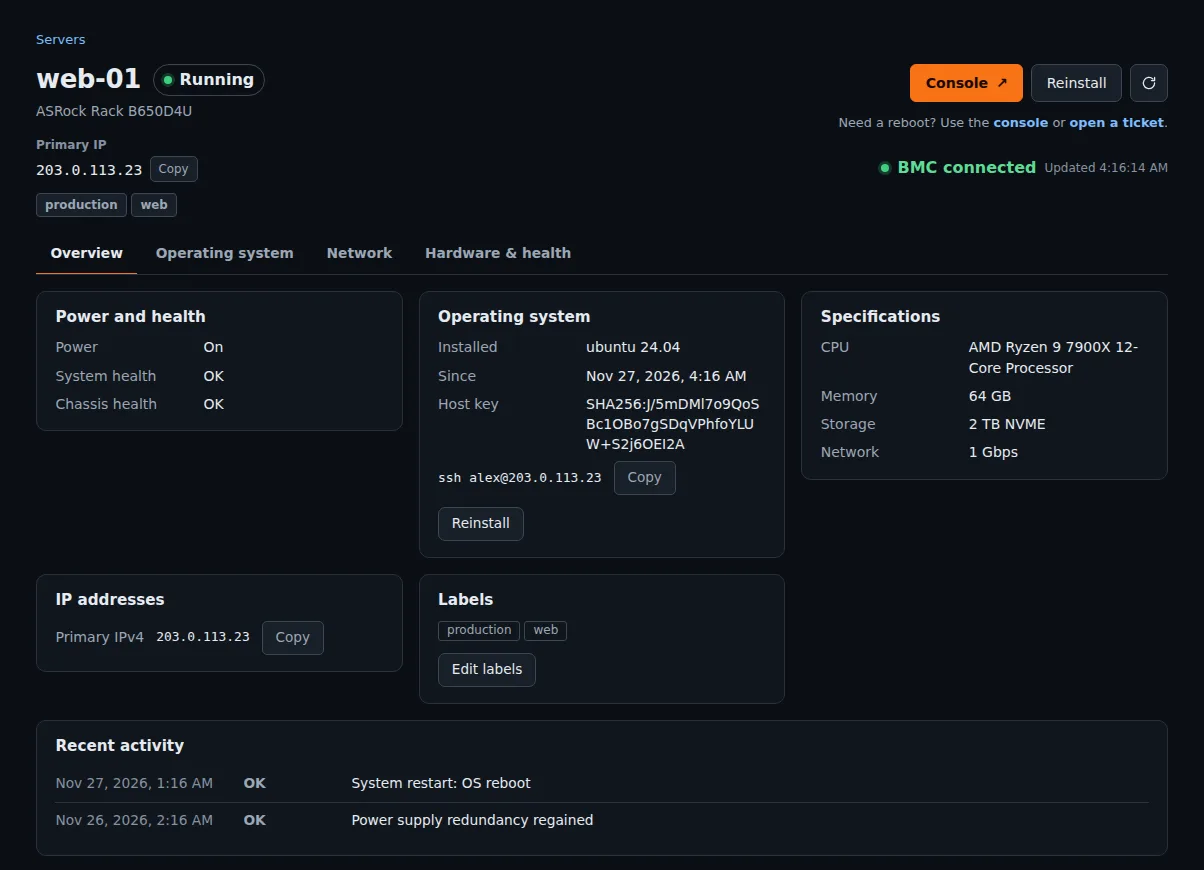
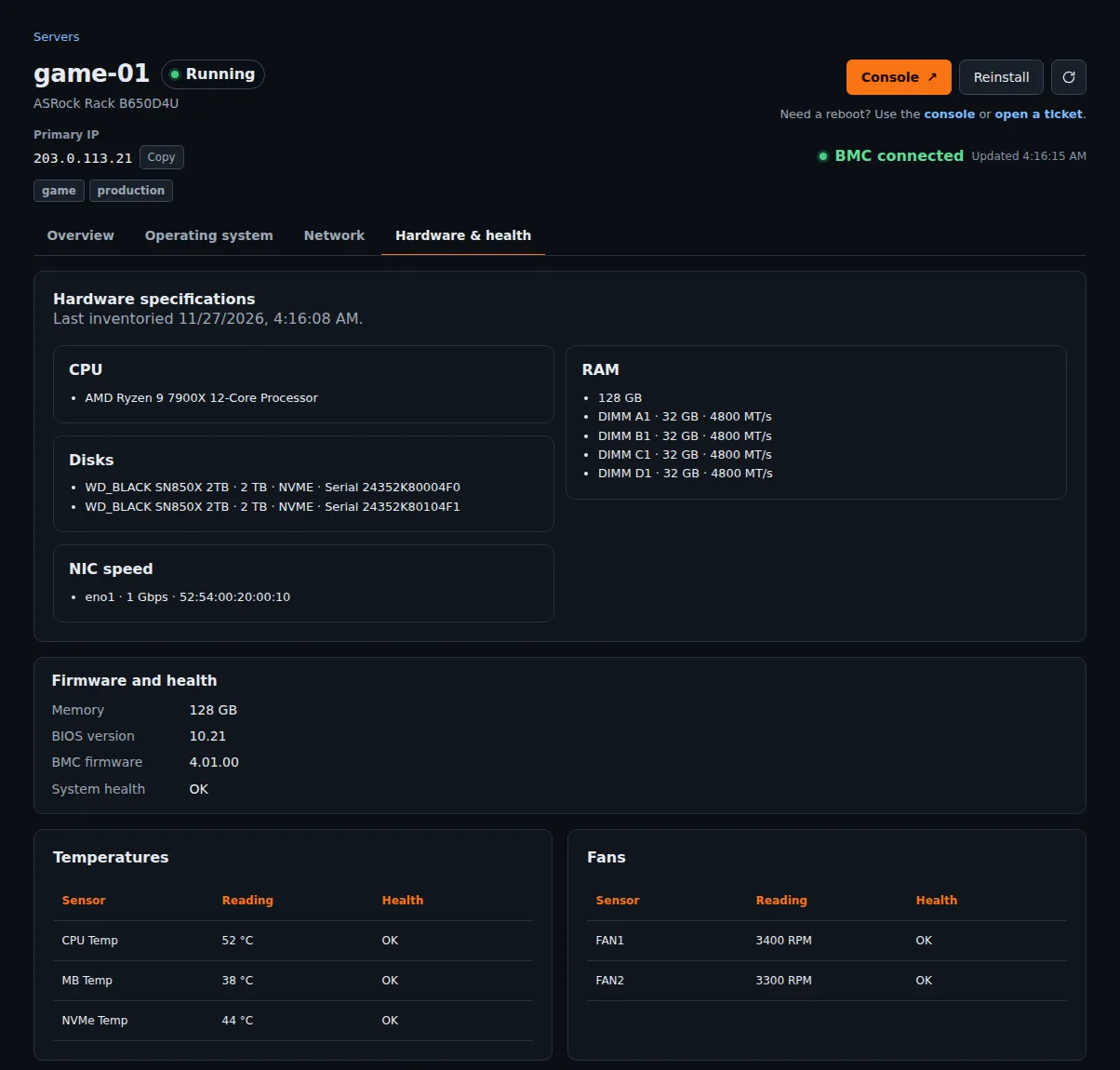
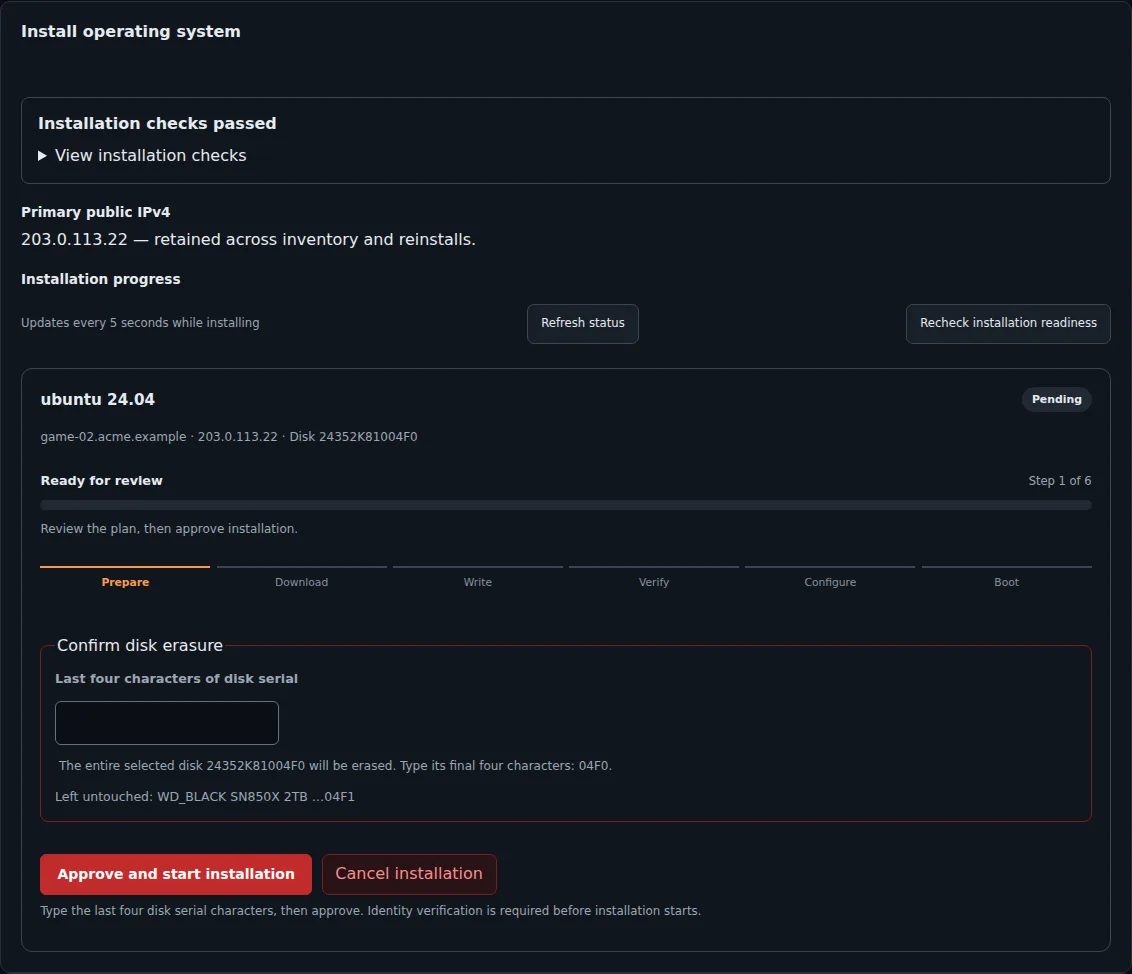
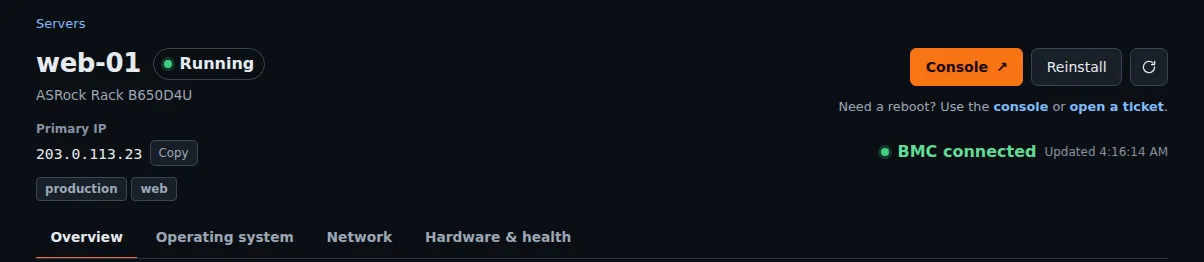
Built in-house and run by us. These are real screens from our control panel, shown with demo data.
Power state, system and chassis health, temperatures, fans, firmware and the hardware event log, read live from the server's management controller.
Pick Ubuntu 24.04 or Debian 13, choose the exact disk by model, size and serial, add SSH keys or cloud-init user-data, and review the plan.
The Console button opens your server's own remote console in a new browser tab, from boot screen to login prompt, through our panel.
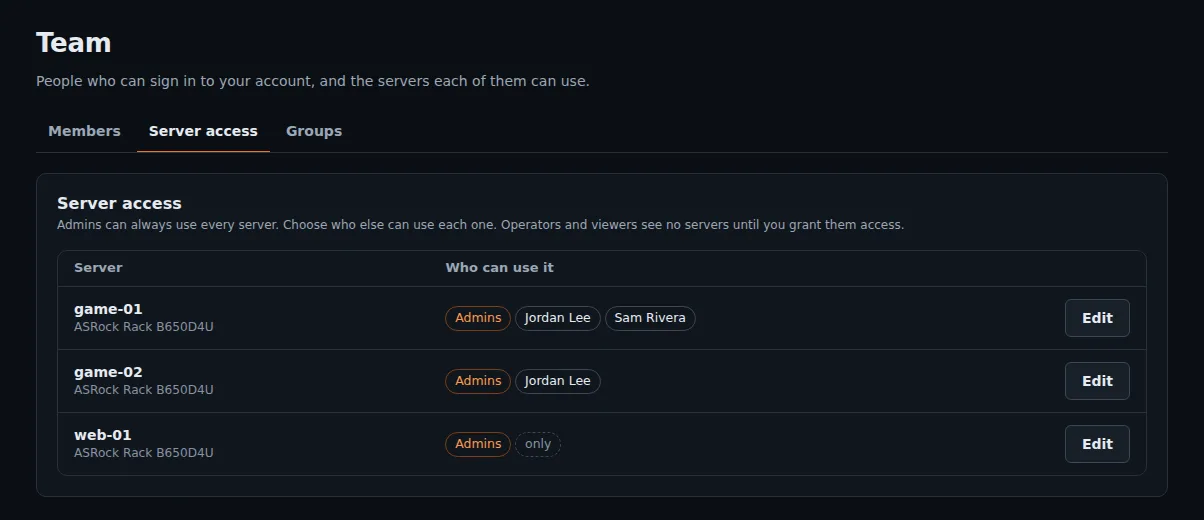
Invite people as Admin, Operator or Viewer, and choose who can use each server, one by one or through groups.
What you can do today
Each of these works in our panel right now.
Open your server's remote console in a browser tab. No BMC password is ever handed out.
Pick the exact disk, type its serial and confirm two-factor. Every other disk stays untouched.
Paste cloud-config at install, checked as you type, and save snippets to reuse.
Temperatures, fans, firmware and the hardware event log, straight from the management controller.
Admin, Operator and Viewer roles, with access granted server by server or through groups.
Required to order, to open a console and to approve an install. Recovery codes included.
Add your public keys when you install, and log in with your key from the first boot.
Open a ticket from the panel any time, link it to a server, and follow the whole thread.
Why it matters
Many hosts license an off-the-shelf panel and wire it in. We wrote ours, so it talks to our servers directly.
| Topic | Typical off-the-shelf panel | Our control panel |
|---|---|---|
| Where it comes from | Licensed from a vendor and bolted onto the host's systems | Built and run in-house by us, so fixes don't wait on anyone else |
| Remote console | Often a shared IPMI login, a Java viewer or a plugin | Opens in your browser through our panel; no BMC password handed out |
| Reinstalling | A template that picks the disk for you | You pick the disk; nothing is erased until you type its serial and confirm two-factor |
| Your hardware | A server name and little else | Every DIMM, drive and serial, live temperatures, fans and the event log |
| Your team | Often one shared login for everyone | Admin, Operator and Viewer roles, server by server, each with two-factor |
How it works
Every configuration shows its live stock and monthly price up front. Setup: $0.
Your server is assigned the moment your payment clears.
Run the guided installer: Ubuntu 24.04 or Debian 13, the disk you choose, your SSH keys or user-data.
Open the browser console or SSH in. It's your machine, and 24/7 support is a ticket away.
Salt Lake City, Utah · AS11682 · transit from Cogent, Zayo and HE.NET · peering at MwestIX
Help
Ubuntu 24.04 and Debian 13, installed from the console in our control panel. We don't offer Windows.
Instant delivery: your server is assigned the moment your payment clears. Nothing on our servers page is built to order: if it says in stock, the hardware is already here. Then open our control panel, run the guided installer for Ubuntu 24.04 or Debian 13, and watch it from boot screen to login prompt in the browser console.
Yes. Add teammates from the Team section of our control panel as Admin, Operator or Viewer, each with their own sign-in and two-factor, and choose which servers each of them can use.
24/7 support. Open a ticket from your console any time, or email sales@dediblaze.com with questions before you buy. Existing customers who can't sign in can email support@dediblaze.com.
Pick a server and pay by card. Then open our panel and install your OS from the console.